Code. Create. Innovate.
Preloader Close

-
Call Us Today
958 311 7481
985 389 2201 -
Working Hours
Mon - Fri: 9 am to 8 pm
-
Kateni Square Lorenzo Apartment
Bhubaneswar Khordha Odisha

Service Detail?
What is PC Hardware? 🖥️
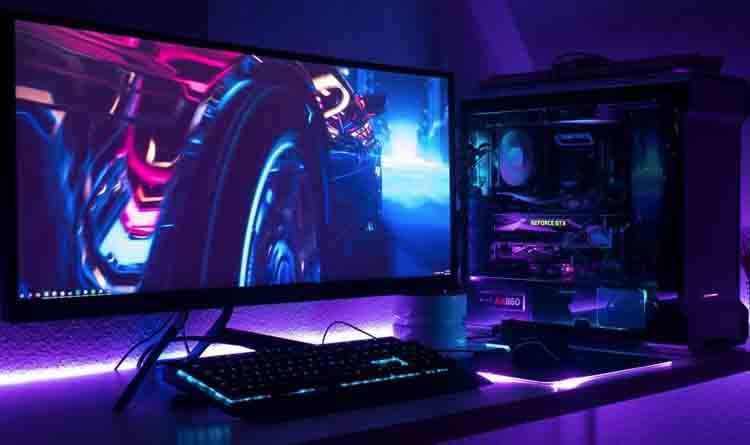
PC hardware refers to the physical parts of a computer that you can touch — like the monitor, keyboard, mouse, and the components inside the case. Key parts include the CPU (processor), RAM (memory), hard drive or SSD (storage), motherboard, graphics card (GPU), and power supply. Each part plays a role in how your computer works, whether you're browsing the internet, playing games, or doing office work. Without hardware, software (like Windows or apps) wouldn’t have anything to run on.
1. PC & Laptop Repairing 🛠️💻🖥️
🔧 Hardware repairs (screen, keyboard, ports, fan)
💽 Data recovery and backup
🦠 Virus and malware removal
⚙️ Software installation and updates
⚡ Speed optimization and performance tuning
🔋 Battery, charger, and power issue repairs
2. Printer Repairing Services 🖨️🔧?
🧻 Fixing paper jams and feeding issues
🖋️ Replacing or cleaning ink/toner cartridges
⚙️ Repairing rollers, sensors, and internal components
🔌 Solving power, USB, or Wi-Fi connection problems
💻 Installing or updating printer drivers and software
🧼 Cleaning for better print quality and performance
3. CCTV & Fingerprint System Services 📷🔒
📸 Installation of indoor & outdoor cameras
🌐 Remote viewing setup on mobile or PC
🔄 DVR/NVR setup and maintenance
📹 HD/4K camera upgrades and repairs
🧬 Fingerprint Attendance & Access Control
👆 Device installation and user setup🕒 Attendance tracking integration
🔐 Secure access control configuration
🛠️ Maintenance, software updates, and data backup
4. Computer Networking Services 🌐🖧
🛠️ Network setup & installation (LAN/WAN)
🌐 Wi-Fi router configuration & range extension
🔗 Switches, hubs, and cabling solutions
🔐 Network security & firewall setup
💻 Printer & device sharing setup
🧑💼 Office networking & server connections
⚙️ Troubleshooting slow or unstable networks
5. Data Recovery Services 💾🛠️
🔍 Recovery from formatted or crashed drives
🧠 Hard disk, SSD, USB, and SD card recovery
🛡️ Virus-infected or corrupted file repair
💻 Laptop or desktop data extraction
☁️ Backup & data protection solutions
6.Mass Distribution Services 🚚📦📢
📦 Bulk product delivery to stores, homes, or offices
📬 Leaflet, brochure, or flyer distribution
📧 Bulk SMS, email, and digital marketing delivery
🚛 Route planning and real-time tracking
🧾 Inventory & delivery report management
Commonly Forgotten Computer Hardware Components
1. Power Supply Unit (PSU)
Converts electricity into usable power for your PC.
A weak or failing PSU can cause shutdowns or damage components.
🧊 2. Cooling Systems (Fans / Heat Sinks / Liquid Cooling)
Keeps your CPU, GPU, and case cool to prevent overheating.
Crucial for gaming or high-performance systems.
📀 3. Optical Drives (DVD/CD)
Less common now, but still used for reading/writing discs.
🔉 4. Sound Card (Dedicated Audio Hardware)
Often built into the motherboard, but high-end systems may use dedicated cards for better sound.
🌐 5. Network Card (Ethernet/Wi-Fi Adapter)
Allows your PC to connect to the internet or other devices.
Some desktops need a separate Wi-Fi card.
💡 6. CMOS Battery
A small battery on the motherboard that keeps system time and BIOS settings saved.
🔢 7. I/O Ports & Expansion Slots
USB, HDMI, DisplayPort, audio jacks, PCIe slots, etc.
Important for connecting external devices and upgrades.
🧳 8. External Storage Devices
USB drives, external hard disks, and SSDs for backup and portability.
🖱️ 9. Input Devices
Mouse, keyboard, scanners, webcams — essential for user interaction.
🖥️ 10. Monitor (Display)
Resolution, refresh rate, and screen size matter, especially for creative or gaming tasks.
🔎 11. BIOS/UEFI Firmware
Software embedded on the motherboard that starts your PC and manages hardware settings.
🧩 12. Expansion Cards (Capture cards, TV tuner cards)
Add special functions like video capture, TV reception, or extra ports.
📡 13. Bluetooth Adapter
For wireless connection to headphones, keyboards, mice, and other devices.
🔮 14. Case (Computer Chassis)
The enclosure that holds all hardware components; affects airflow and cooling.
🎛️ 15. RAID Controllers
Hardware that manages multiple drives for speed or redundancy.
🔈 16. Microphones and Speakers
For audio input/output, often overlooked but essential for communication.
🎥 17. Webcams
Built-in or external cameras for video calls and streaming.
🔗 18. Cable Management Tools
Clips, ties, and sleeves to organize and protect cables inside your PC.
19.
Printing Hardware (printers, filament, nozzles) 🖨️
Read Useful FAQ’s
What is RAM and why is it important?
⚡ A: RAM (Random Access Memory) helps your computer run programs smoothly. More RAM = faster multitasking and performance.
What’s the difference between HDD and SSD?
💾 A: HDDs (Hard Disk Drives) are older, slower, and cheaper. SSDs (Solid State Drives) are faster, quieter, and more reliable.
Can I upgrade my PC’s hardware?
?
🔧 A: Yes! You can upgrade parts like RAM, SSD, graphics card, or even the processor — depending on your system.
A GPU (Graphics Processing Unit) handles images and video. It’s essential for gaming, video editing, and 3D design.
📱 Why is my computer overheating?
It could be dust buildup, poor ventilation, or a failing fan. Cleaning and proper airflow usually help.